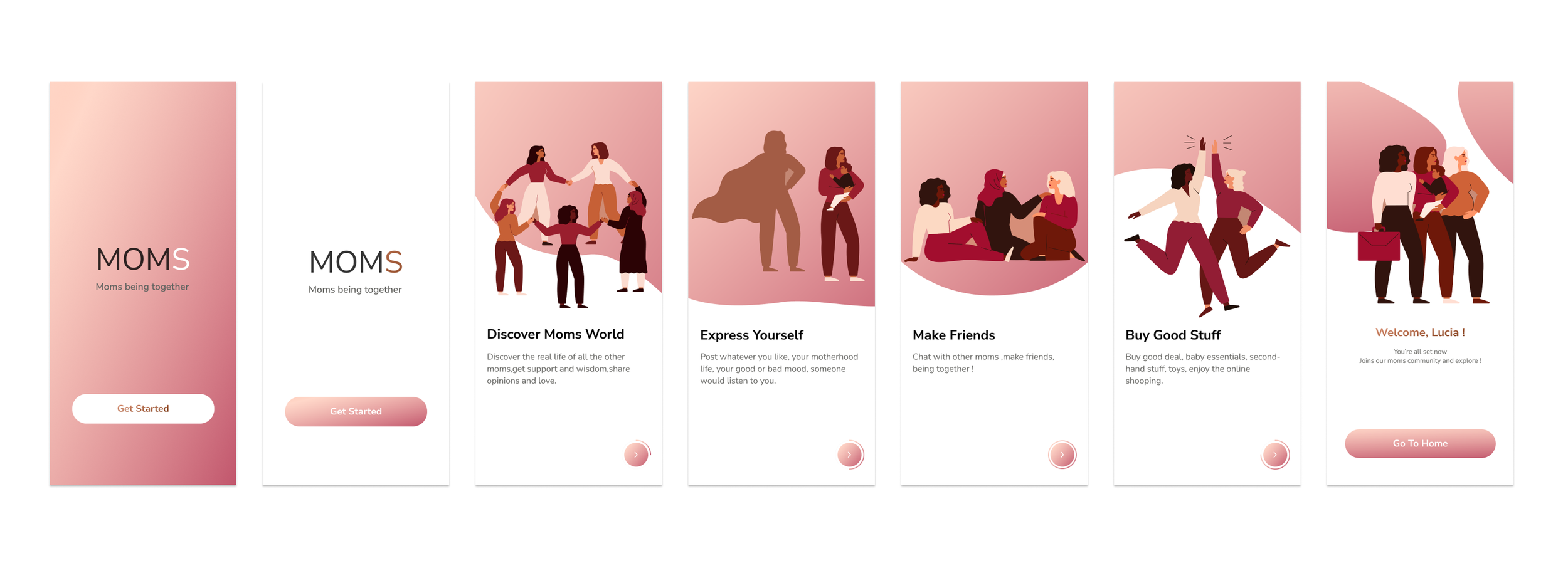
MOMS
A SUPPORT & COMMUNITY APP FOR MOTHERSROLE: UX, UI, INTERACTION DESIGN
ROLE:UX/UI Designer
DURATION: 6 MONTHS
OVERVIEW
Moms is an app designed to help mothers build authentic connections and find emotional and practical support during their motherhood journey. The app fosters empathy-driven communities where moms can share experiences, exchange advice, buy and sell secondhand items, and remind each other that they are not alone.
The Problem:
Motherhood can be a long and isolating journey. Many mothers experience loneliness and emotional fatigue while juggling childcare, work, and personal growth. Although there are many online groups, most lack emotional depth and meaningful connection.
How might we build a support system and community that empowers mothers both emotionally and practically?
The Goal:
To create a social platform where mothers can:
Find emotional support through shared stories and empathy-driven conversations.
Join topic-based virtual communities that feel genuine and safe.
Exchange secondhand baby items and resources conveniently and sustainably.
My Role:
Research · Ideation · Concept Testing · Information Architecture · User Flows · Wireframes · Usability Testing · UI Design · Final Prototype
DESIGN PROCESS
→
Empathize
Primary Research User Interviews Secondary Research
→
Define
User Persona
Key Findings
→
Ideate
Ideation
Concept Testing
→
Prototype
Site Maps
Wireframes
→
Test
Usability Test
UI Design
Final Prototype
Empathize
Research Methods
To deeply understand users’ needs, I used a combination of primary and secondary research methods:
Primary Research:
Conducted 10 one-on-one semi-structured interviews with mothers aged 25–40 (first-time, working, and stay-at-home moms).
Duration: 45–90 minutes per session (remote via Zoom).
Focus: emotional well-being, social support, daily routines, and how they use technology for parenting or relaxation.
Secondary Research:
Reviewed online parenting forums (BabyCenter, Reddit r/Mommit, Peanut App) to identify recurring emotional themes.
Analyzed reports from APA and WHO on postpartum depression and social isolation among new mothers.
Benchmarked competitors (e.g., Peanut, WhatToExpect Mush) to understand what gaps exist in current platforms.
Tools: Miro, Notion, and Google Sheets for data collection and clustering.
DEFINE
USERS PERSONAS
Persona 1: Emma – The New Mom (Age 29)
Goal: Find reassurance and emotional support.
Pain Points: Feels anxious and isolated, lacks local mom friends.
Motivation: Wants to connect with others who “get it.”
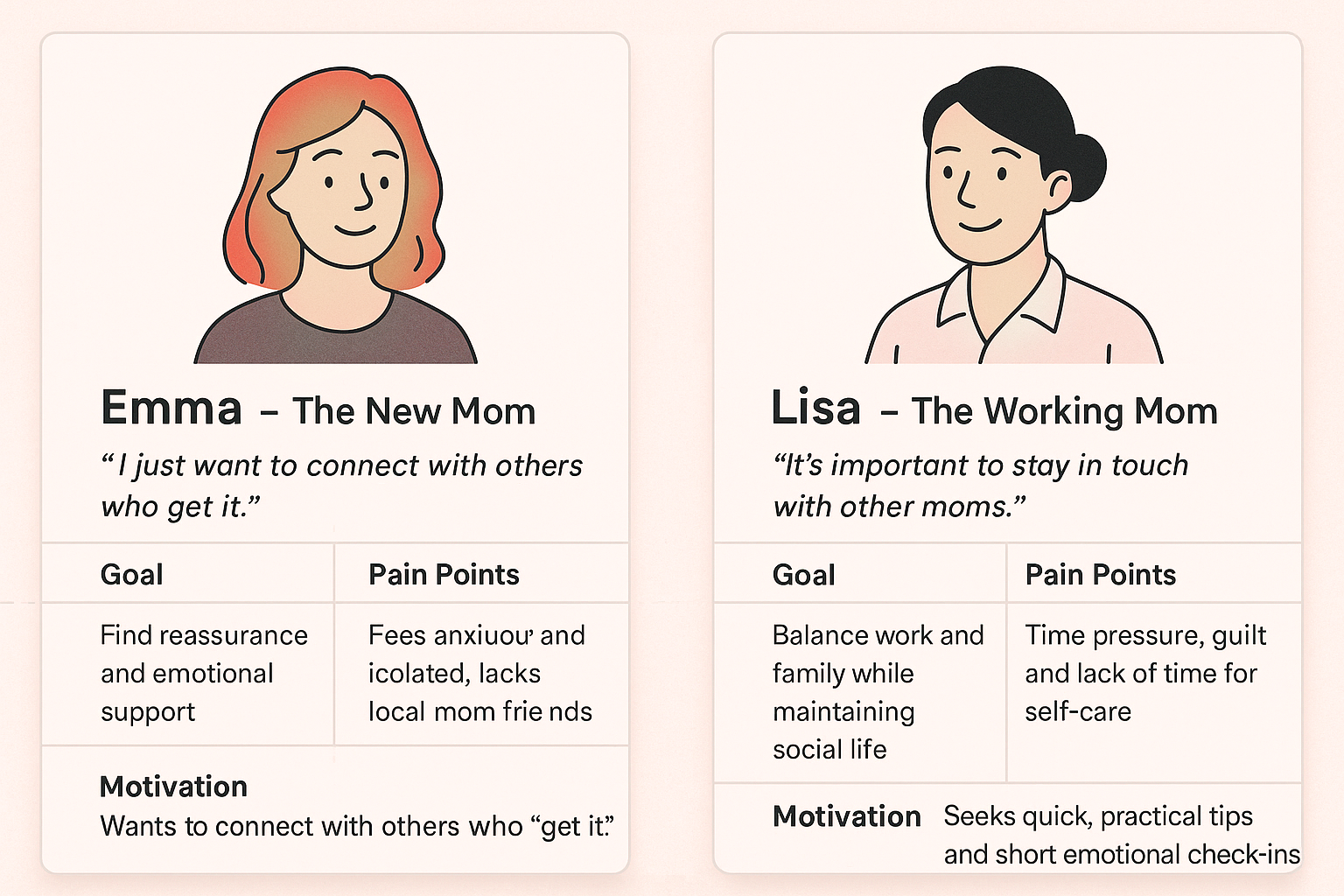
Persona 2: Lisa – The Working Mom (Age 35)
Goal: Balance work and family while maintaining social life.
Pain Points: Time pressure, guilt, and lack of time for self-care.
Motivation: Seeks quick, practical tips and short emotional check-ins.
KEY FINDINGS
Emotional Isolation: 80% of interviewees mentioned loneliness as a frequent feeling after childbirth.
Desire for Empathy: Users preferred advice and support from real moms over experts or automated posts.
Trust and Privacy: Concerns about being judged or exposed online reduced participation.
Practical Needs: Moms wanted a convenient place to sell or give away baby items without using impersonal resale apps.
Community Motivation: Small, topic-based or location-based groups fostered a stronger sense of belonging.
IDEATE
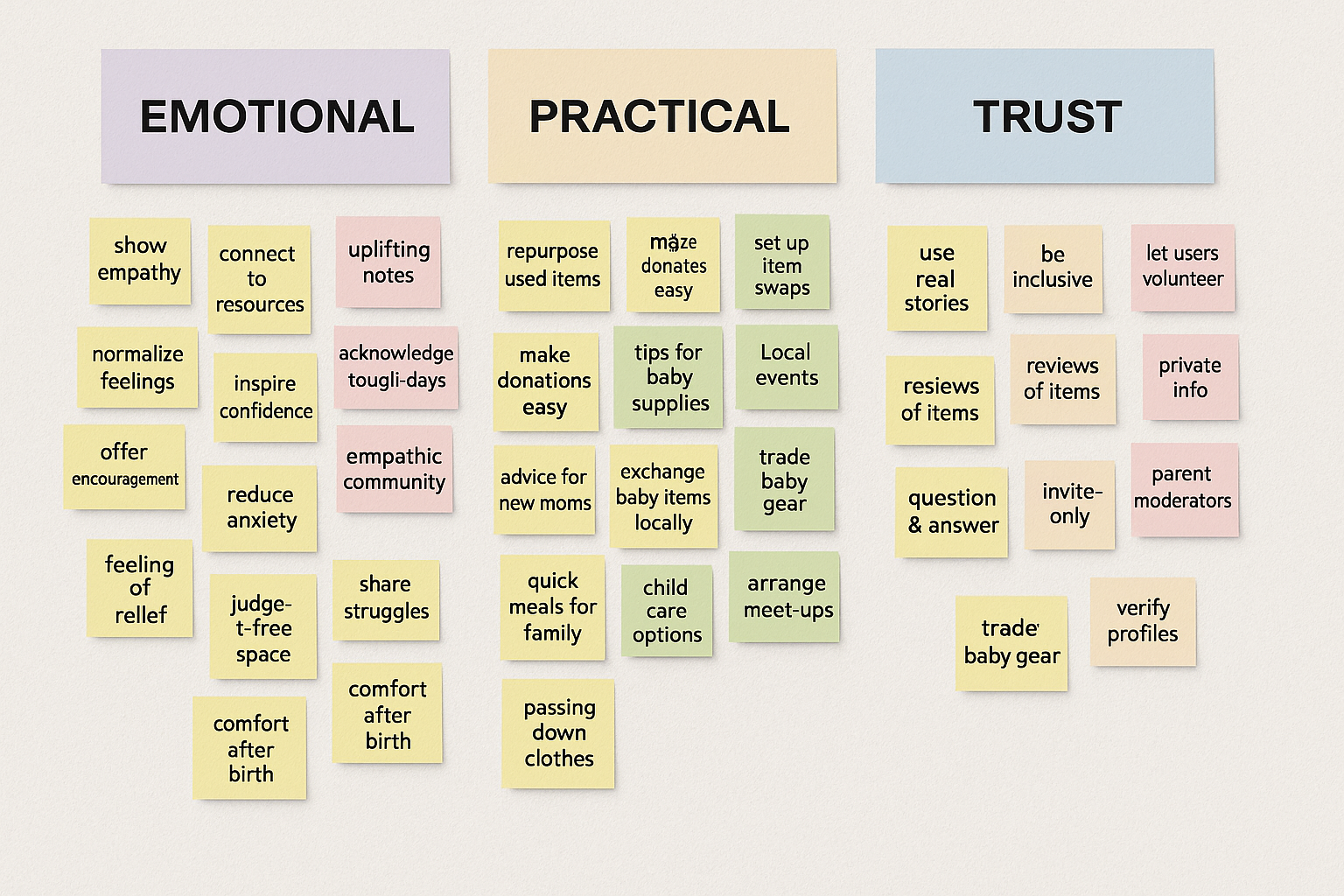
Conducted a “How Might We” brainstorming workshop and used Affinity Mapping to sort ideas into categories: emotional support, community sharing, recycling, trust building.
Created 3 concept directions, then tested them through quick concept validation sessions with 5 moms.
PROTOTYPE
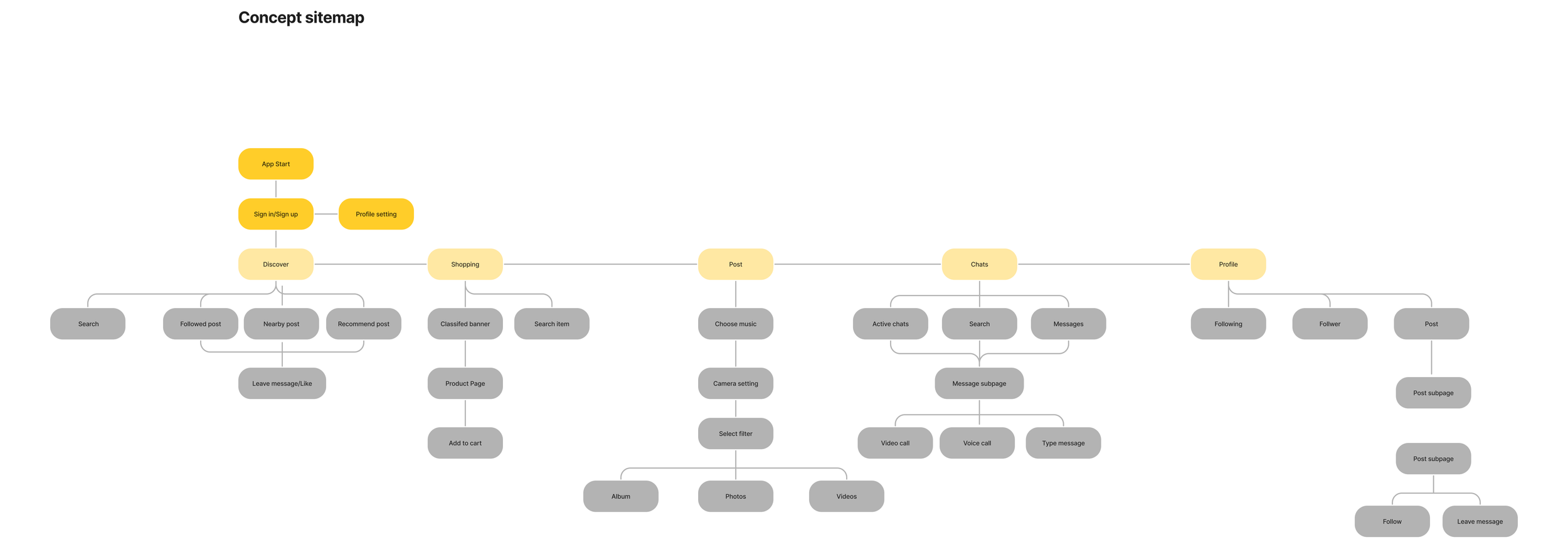
Site Map
Developed a site map with four primary navigation tabs:
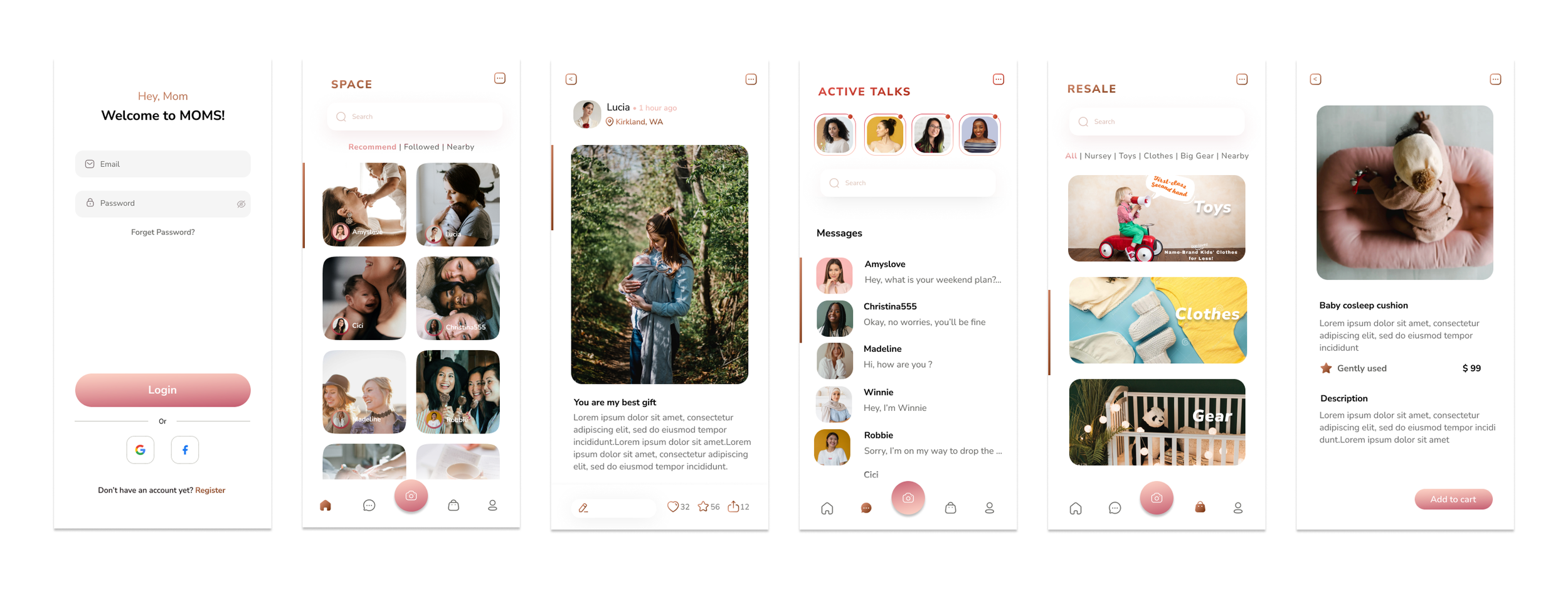
Space – Find contents&moments
Talks – Make friends, private chat
Share – Share your stories or insights
Resale – Sell & buy second-hand
Profile – User info and saved items.
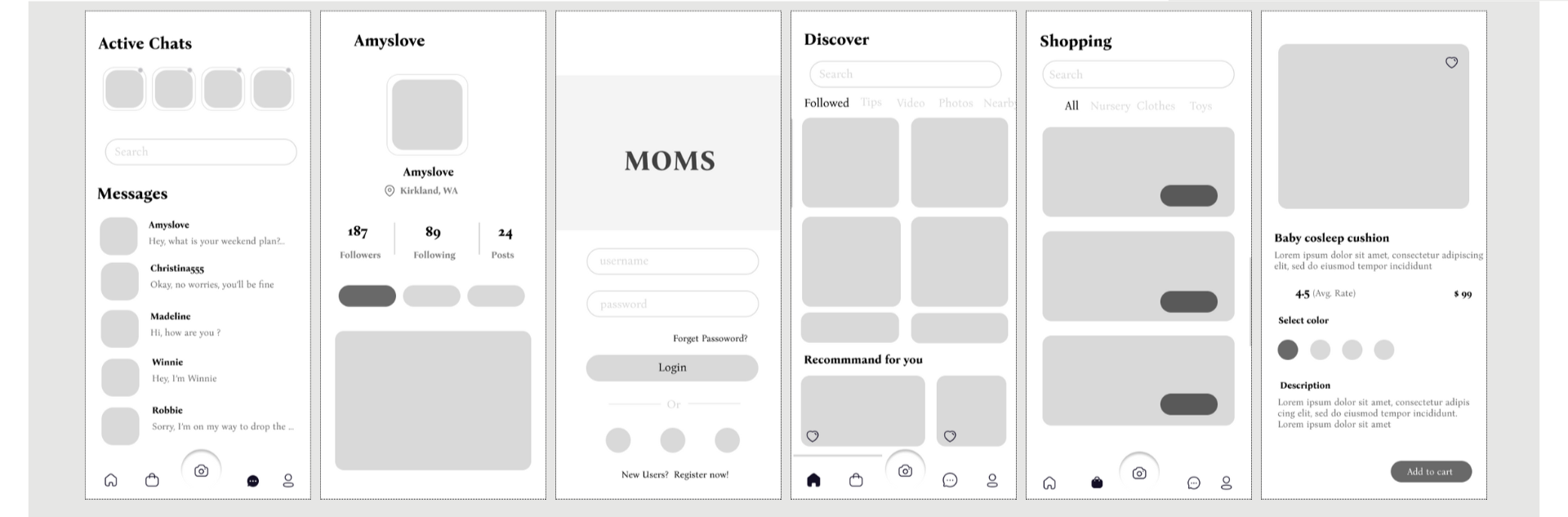
Low-fidelity Wireframes
Created low-fidelity wireframes in Figma based on early sketches. This helped visualize the content layout and test interaction flows before moving to high-fidelity design.
Wireframing allowed me to quickly test usability, gather feedback on key flows, and ensure the design aligned with user empathy and comfort.
TEST
USABILITY TESTING
Participants: 8 mothers (4 new moms, 4 working moms).
Method: Remote testing via Maze and Zoom, each session 30–45 mins.
Scenarios Tested:
Browsing useful content
Posting a story
Buying/selling a used baby stroller
Sending a private message
Metrics: Task success rate, time on task, qualitative satisfaction rating.
Findings & Insights
Navigation: 6/8 users found the bottom navigation intuitive.
Resale Filter: 3 users requested more item categories (e.g., clothes, toys).
Active Talk: Users loved location-based users (“Moms in Seattle”) for real-life meetups possiblity
Tone & Visuals: Soft colors and friendly microcopy increased comfort and trust.
UI Design

FINAL PROTOTYPE